
Introduction
As a REDEEM® HealthShare member, when you or a family member might need non-emergency care, you have access to an approved Telehealth provider. Your Annual Unshared Amount (AUA) or any Co-share does not apply for these appointments.
This article will help you understand how to create an account.
Important: Dependents age 18 and older must have an individual email address to use Telehealth through NB Telemedicine. To add emails to your account page, see Access and Update Your Membership Details.
Procedure
If you are a first-time user with this approved Telehealth provider, you may create your account either before or at the time you need to make an appointment.
Follow these steps:
- Sign in to the Member Center.
- From the navigation menu, select Telehealth. The sign in page displays (see below).
- From this page, you will either activate your account or sign in to your account.
Note: If you have already activated your account and select Sign In, the NB Telemedicine dashboard page will open.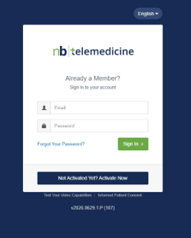
Activating Your Account
Because you are a REDEEM HealthShare member, your name (including spouse and dependents) is already in the NB Telemedicine system. Once you select the option to activate your account the initial registration screen will open.
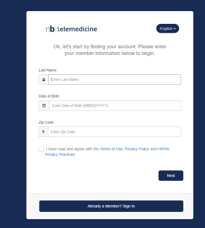
Troubleshooting Option
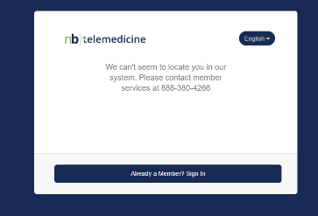
If you typed in the wrong information or if you receive an error, call NB Telemedicine for registration assistance and portal technical issues, (888) 380‒4266.
Receiving the Activation Link
Once NB Telemedicine has validated your membership, you will receive an activation link.
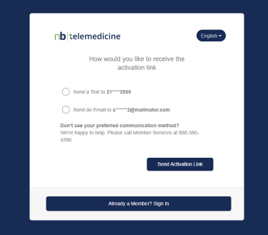
Complete the required activation request. You will receive a confirmation and a verification link to select complete your registration.
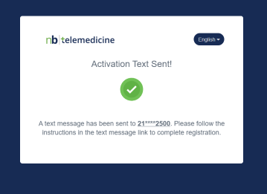
Completing the Registration
You’ll complete the final steps of registration.
The NB Telemedicine system automatically added your family members to the membership portal. If you find that your family members are not in the system, then add any family members to your account once you have completed registration and are in the membership portal.
The following screenshots show the next four steps to completing registration:
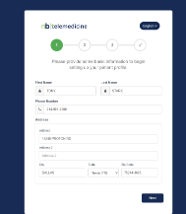
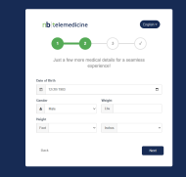
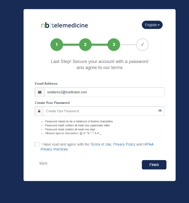
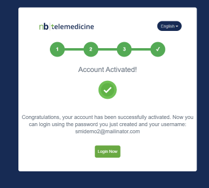
Once you have received the Account Activated confirmation, select Login Now. The Membership Portal page will open.
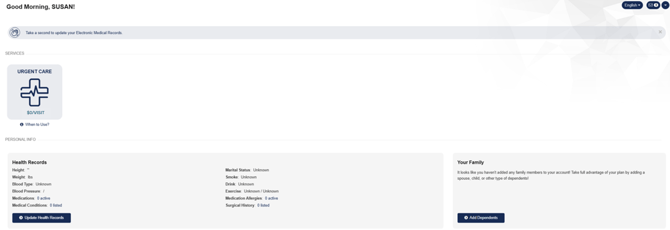
From the Membership Portal page, you can add dependents, update your electronic health record, and schedule an appointment. For instruction, see Using Telehealth.
Tips
For general member assistance or eligibility-related support call (844) 521-1145.
As a member of REDEEM HealthShare Ministry, reading and understanding the Sharing Guidelines is important.