
Introduction
As a member of REDEEM® HealthShare Ministries you will receive a hard copy of your Explanation of Sharing (EOS) through the US mail. However, you may find yourself needing a hard copy before the EOS arrives by mail. This article gives instructions for downloading the EOS from your Member Center page so that you can print a copy of the EOS.
Note: The option to download an EOS is not available if the bill is in either Submitted or Processing status. You will receive the following message that it is not yet available. 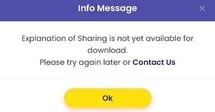
Procedure
To print a copy of your EOS, follow these steps:
- Sign into REDEEM® HealthShare, the Member Center displays.
- From the menu, select Medical Bills.
- Select Monitor Bills. The Needs for your household will display.
- Select the Completed tab.
 All completed household bills will display.
 - Select the specific bill you need, the details of that bill will display.
- Select Download EOS.
- Follow your personal computer printing steps.
As a member of REDEEM HealthShare, reading and understanding the Sharing Guidelines is important.