
Introduction
The Member Center provides a list of doctors known for their acceptance of or friendliness toward health care sharing. Searching names from your member center might help you when making decisions about your medical care.
Procedure
To find a doctor, follow these steps:
- Sign into REDEEM® HealthShare, the Member Center displays.
- In the menu, select Care Team. The Search for Doctor's & Specialties screen will open.
- Select Search Now. A search field will display.

- Type the information into the search fields. A list of doctors will appear.
- Press Enter.
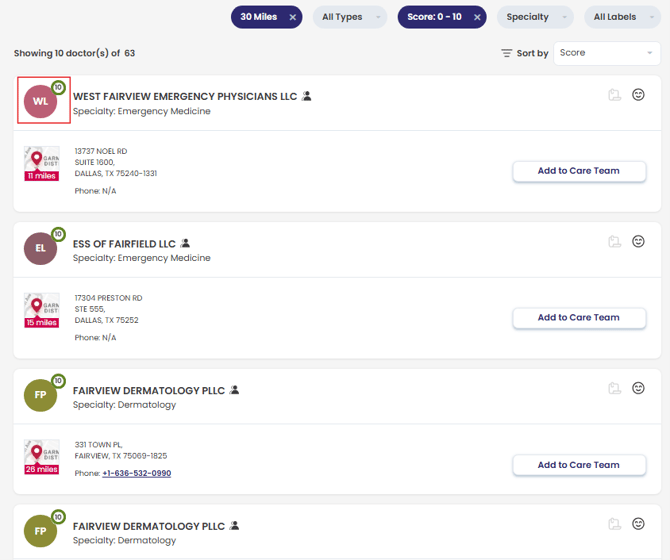
- In the Sort by field, you can sort by Distance or Score. A score of 7 ‒ 10 (see red box in the screenshot) indicates doctors who are more accepting and friendly toward health care sharing.
As a member of REDEEM HealthShare, reading and understanding the Sharing Guidelines is important.